Aaj ke digital era me Instagram Reels aur YouTube Shorts par viral hona har content creator ka sapna hota hai. Par daily content create karte waqt sabse badi problem aati hai—editing me lagne wala ghanto ka time aur advanced keyframing ya beat-syncing seekhna. Yahi wajah hai ki short-form video ecosystem me VN Video Editor templates aur pre-made QR codes creators ke liye ek game-changer ban chuke hain.
Filhal social media par ek soulful acoustic vibe ke sath “Sajna Tere Bina / Sanjana Tere Bina” track wildly trend kar raha hai. Is aesthetic video look ko manual timeline par frame-by-frame cut karke banana kisi naye editor ke liye kaafi confusing ho sakta hai. Isi problem ko solve karne ke liye Ray Edits ne ek instant solution provide kiya hai—jise hum kehte hain VN QR Code Template.
Is detailed step-by-step master guide me hum janenge ki aap kaise bina kisi complex technical skills ke, sirf ek simple scan se apna high-retention reel tayar kar sakte hain.
What Makes The “Sajna Tere Bina” Aesthetic Trend Go Viral?
Agar aapne Instagram feeds observe ki hongi, to aapne notice kiya hoga ki high-contrast warm visual aesthetics aur slow-paced soulful music ka combo humesha viewer retention badhata hai. Is particular template ki viral popularity ke piche teen main structural elements kaam karte hain:
- Bold Kinetic Typography Overlay: Video ke start hote hi screen ke center me bold bold letters display hote hain jo background video ke sath blend hote hain. Ye viewer ka scroll turant stop karta hai (Hook rate 80%+ badha deta hai).
- Warm Golden & Vintage Sunset Lighting: Is edit ka primary visual tone warm orange, soft red, aur mild golden shadow par based hai. Ye aesthetic traditional outfits (jaise saree, kurta) ya festive vibes ke sath natural look deta hai.
- Smooth Slow-Motion Pacing: Video sharp cuts ya fast transitions ke bajay graceful facial expressions, eye contact, aur subtle camera movements par concentrate karti hai.
Jab lyrics aur emotional music perfectly sync hote hain, to algorithm aisi videos ko automatically explore pages par push karta hai kyunki iska Average Watch Time (AWT) normal reels se kafi zyada nikal kar aata hai.
Pre-Requisites: Shoot Ke Liye Kya Requirements Hogi?
Template use karne se pehle agar aapka raw footage sahi tareeqe se shot nahi hoga, to final output professional nahi lagega. Sabse pehle apne raw clips ko correctly record kar lein:
- Camera Resolution: Apne smartphone camera ko 1080p at 60 FPS ya 4K at 60 FPS par set karein. High frame rate (60 FPS) isliye zaroori hai taaki jab VN app is clip ko slow-down kare, to frame drop ya video judder na ho.
- Warm Lighting Setup: Clip ko golden hour me shoot karein (sunset ke waqt) ya room ke andar warm LED yellow-light panel use karein. Face par soft warm light aesthetic look ko instantly enhance kar deti hai.
- Aspect Ratio: Reels aur Shorts ke standard format 9:16 vertical orientation me hi phone pakad kar record karein.
- Natural Movement: Model ya subject ka movement bilkul slow aur expressive hona chahiye—jaise hair flip, gentle smile, bangle adjustment, ya simple side glance.
Where to Get The Ray Edits VN QR Code?
Is ready-to-use aesthetic project ka direct scanner code aapko access karne ke liye kisi third-party risky file ko install karne ki zaroorat nahi hai.
- Sabse pehle apne browser me visit karein: rayedits.in.
- Wahan search bar me type karein “Sanjana Tere Bina Trending Template 2026” ya simply VN Code section me browse karein.
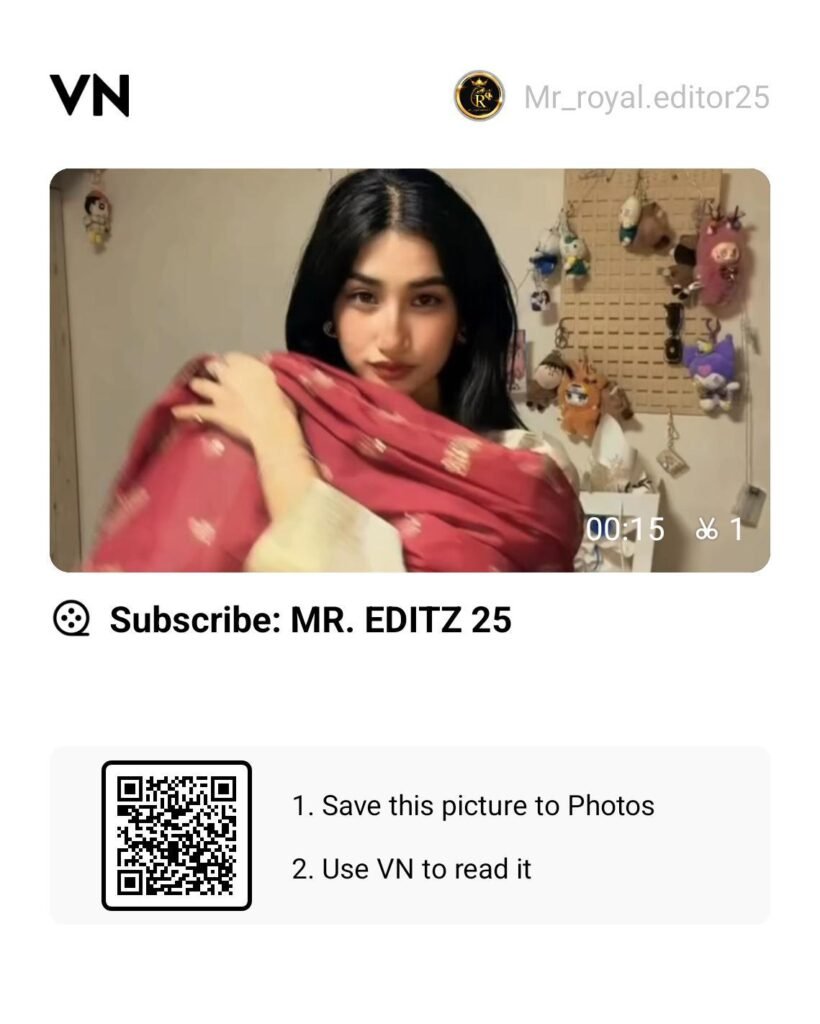
- Post ke andar aapko clean high-resolution VN Code Scanner Image (QR Code format) milega.
- Us image par long press karke ya direct Download button par click karke use apni phone gallery me save kar lein.
Step-by-Step Guide:
How to Apply the VN QR Code in VN Editor
VN Video Editor (VlogNow) Android aur iOS dono platforms par free and watermark-free export support karta hai. Neeche diye gaye simple steps follow karke aap 30 second me video create kar sakte hain:
Step 1: Open VN App & Launch the Scanner
Apne smartphone me VN Video Editor app open karein. Top-right corner par (ya three-dot settings panel ke paas) aapko ek chota sa Scan / QR Code icon dikhega. Us icon par tap karein.
Step 2: Upload Scanner from Gallery
Scanner camera screen par aapko live camera viewfinder ke sath bottom me ek Gallery / Album icon milega. Us par click karein aur rayedits.in se download ki hui QR code image ko select karein.
Step 3: Download the Cloud Template
Jaise hi scan process complete hoga, VN automatically Ray Edits ke cloud server se associated template metadata, beat markers, filters, aur text assets ko screen par display karega. Neeche bane Download button par tap karke template assets load hone dein.
Step 4: Import Your Raw Clips
Download complete hone ke baad Use Template option par tap karein. Ab VN aapse requirement ke according raw clips select karne ko kahega. Apni gallery se wo aesthetic slow-motion clips select karein jo aapne pehle record karke rakhi hain.
Step 5: Automatic Processing & Review
Jaise hi clips map hoti hain, VN app auto-trimming, built-in text animation, aur transitions ko single timeline par combine kar dega. Play button press karke preview check karein.
Bonus Pro-Tips: How to Elevate Video Quality to 4K Studio Grade
Agar aap chahte hain ki aapki reel generic na lage aur organic creators jaisi cinematic feel de, to VN ke andar ye 3 tweaks manual zaroor karein:
- Manual Colour Grading (HSL Adjustment):
Template apply karne ke baad Filter > Adjust section me jayein:- Temperature: +10 to +15 (warm tone ko pop karne ke liye)
- Vignette: +8 to +12 (edges ko darken karke focus center par rakhne ke liye)
- Sharpen: +15 (export hone par compression clarity lose nahi hone deta)
- Shadows: -5 (contrast depth add karne ke liye)
- Custom Motion Blur / Flash Addition:
Jahan pe pehla beat drop hota hai, wahan transition panel me jaakar ek subtle Zoom 1 ya White Flash (0.1s duration) add karein taaki transition visually smooth lage. - Audio Replacement Tip:
Agar Instagram par original sound trending tag par chal raha ho, to video export karte waqt VN se audio volume ko 10% par rakhein aur Instagram Reel upload karte waqt Instagram Music library se original trending audio pick karke match karein. Isse algorithm ka music-boost rank trigger ho jata hai.
Perfect Export Settings for Instagram & YouTube Shorts
Kayi baar video edit toh badiya hoti hai, par Instagram par post karte hi pixelated aur blur ho jati hai. Is issue se bachne ke liye ye precise render profile use karein:
- Resolution: 1080p (Full HD) — Note: Reels ke liye 1080p best render compression provide karta hai.
- Frame Rate (FPS): 60 FPS (Super smooth playback ke liye).
- Bitrate: Manual select karein aur slider ko lagbhag 16 Mbps se 20 Mbps par set karein. Bahut zyada high bitrate (jaise 50+ Mbps) Instagram compression engine ko trigger karke video corrupt kar deta hai.
Summary
Social media algorithms unhi videos ko promote karte hain jisme strong retention aur aesthetic visual presentation ho. Ray Edits ka Sanjana Tere Bina VN QR Code Template use karke aap bina complex timeline editing ke professional-grade output deliver kar sakte hain. Apni footage rayedits.in se scanner download karke map karein, batayi gayi colour grading apply karein, aur regular practice se apni visual storytelling skills ko level-up karein. Practice start kijiye aur apna content explore feed par trend karwaiye!