Instagram Trending Couple Lock Screen ChatGPT Prompt: Step-by-Step AI Photo Editing Guide
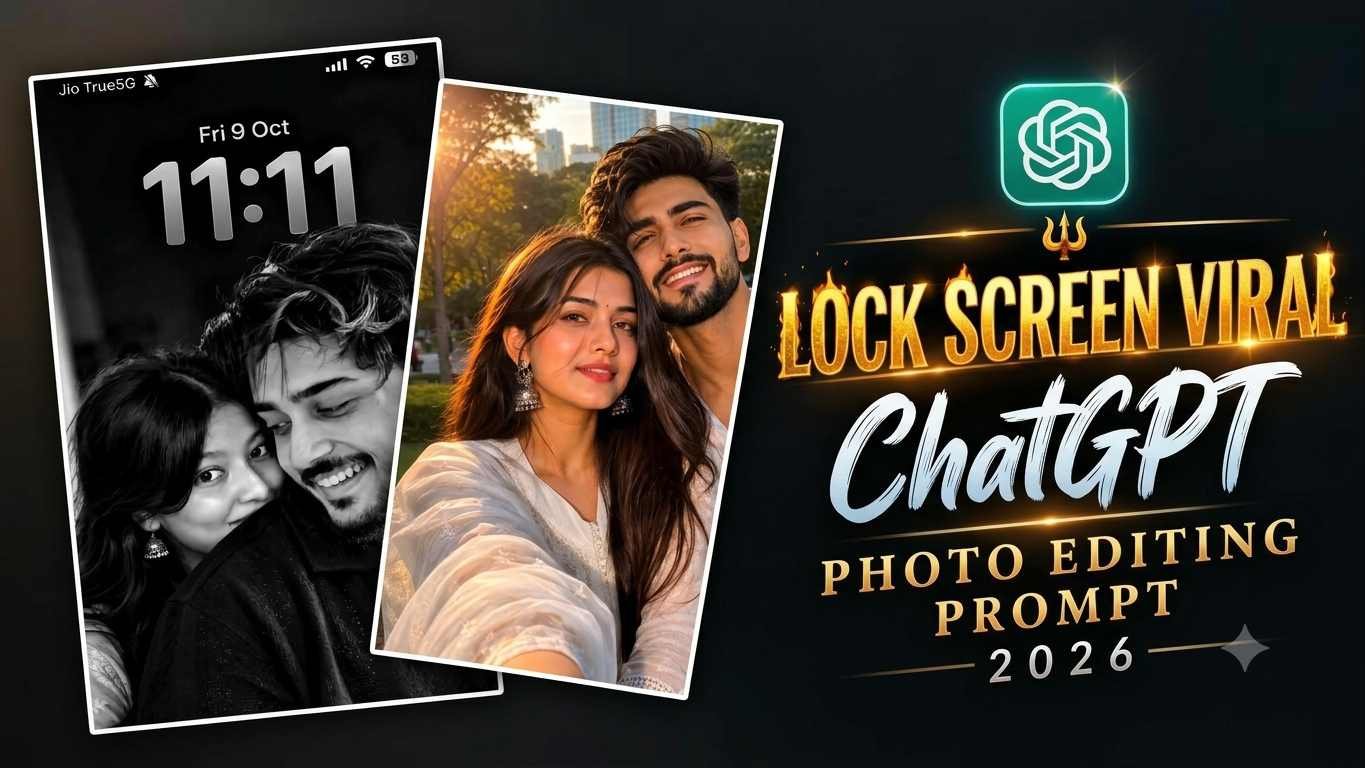
Social media par aesthetic aur realistic visuals ka trend hamesha top par rehta hai. Aajkal Instagram reels aur stories par Instagram Trending Couple Lock Screen ChatGPT Prompt behad tezi se viral ho raha hai. Is trend mein log apni simple couple photos ko ek classic black-and-white, cinematic iPhone lock screen look mein convert kar rahe hain, jisme Jio 5G status bar, time 11:11, aur authentic wallpaper vibe dekhne ko milti hai.
Agar aap bhi aisi ultra-realistic aur cinematic picture bina kisi advanced Photoshop knowledge ke create karna chahte hain, toh yeh article aapke liye ek complete step-by-step master guide hai. Yahan hum step-by-step discuss karenge ki kaise aap rayedits.in se prompt lekar ChatGPT aur Google Gemini ki madad se exactly aisi picture generate kar sakte hain.
Trending Couple Lock Screen Image Ka Look Aur Style Analysis
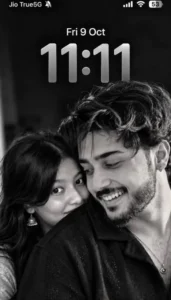
Viral reference photo ek clean 9:16 vertical smartphone screen aspect ratio par based hai. Is image ki sabse badi khasiyat iska deep monochrome aesthetic hai.
- Subject and Framing: Foreground mein boy natural messy curly hair, light beard aur genuine smile ke saath slightly tilted angle mein hai. Background mein girl uske shoulder ke piche softly lean kar rahi hai, jisme uske jhumke aur natural expressions frame ko ek emotional, aesthetic balance dete hain.
- Monochrome Tone: Image completely black-and-white tonal scale par set hai, jisme deep blacks, subtle mid-tones, aur sharp white highlights hain.
- Lock Screen Elements: Screen ke top bar par Jio True5G network, cellular bars, Wi-Fi icon aur battery percentage visible hain. Just uske niche centred date “Fri 9 Oct” aur bada digital clock “11:11” light-grey finish ke saath blend kiya gaya hai.
- Lighting: Soft studio backlight aur natural key light ka use hai, jisse skin texture bilkul real lagta hai aur koi artificial plastic look nahi aata.
AI Couple Lock Screen Image Banane Ke Liye Zaruri Requirements
Process start karne se pehle aapke paas kuch basic cheezein ready honi chahiye taaki AI engine bina kisi error ke accurate results generate kar sake:
- High-Resolution Reference Photo: Ek clear, achhi lighting wali couple photo jisme dono faces clearly visible hon. Low light ya blur photos use karne se AI facial features ko accurate preserve nahi kar pata.
- Active ChatGPT Plus ya Google Gemini Account: Image input aur vision-based generation support karne wala updated AI model.
- Accurate AI Prompt: Website rayedits.in se copy kiya gaya authentic aur detailed prompt.
- Stable Internet Connection: High-res image generation aur prompt processing ke liye stable internet speed zaroori hai.
Step 1: rayedits.in Se Trending AI Photo Prompt Copy Karein
Sabse pehle aapko official resource source par jaana hoga jahan standard AI prompts format properly kiye hote hain:
- Apne mobile ya PC browser mein rayedits.in open karein.
- Search bar mein “Karwa Chauth AI photo prompt” ya “Trending Couple Lock Screen ChatGPT Prompt” type karke search karein.
- Article open karne ke baad prompt text ko completely select karke copy kar lein.
Viral Couple Lock Screen AI Prompt Text
Yahan exact standard prompt diya gaya hai jise aap seedhe use kar sakte hain:
Use the uploaded image as the ONLY and STRICT reference. Recreate the exact same image with 100% composition preservation. Do not change anything. Preserve both people's exact facial identity, natural skin tone, facial features, expressions, hairstyles, hair texture, body proportions, clothing, pose, and positioning exactly as shown in the reference image. The young man is in the foreground wearing a black shirt, with thick messy curly hair, a light moustache and beard, looking down with a gentle smile. The young woman stands closely behind him, resting her head near his shoulder, with long straight dark hair, small hoop earrings, and a subtle natural smile. Maintain the exact same close-up framing, camera angle, body positions, facial expressions, distance between both people, dark blurred background, soft natural lighting, deep shadows, and realistic skin texture. **Black-and-white monochrome photography only.** Preserve the original grayscale tones, contrast, highlights, shadows, and soft cinematic aesthetic exactly as in the reference. Reproduce the complete iPhone lock-screen composition: black-and-white wallpaper, top status bar with Jio True5G, muted bell icon, cellular signal, Wi-Fi, and 53% battery; centered date text "Fri 9 Oct"; and large digital clock displaying "11:11" in the exact same position, size, style, and light-gray color. Maintain the original vertical 9:16 composition and spacing. **STRICT PRESERVATION RULES:** * No changes to either face or identity. * No changes to hairstyle, clothing, pose, or expressions. * No added or removed objects or accessories. * No colorization, beauty filters, skin smoothing, or artificial retouching. * No changes to the background, lighting, framing, or image layout. * Do not crop, zoom, rotate, or reposition any element. * Keep all visible lock-screen details exactly as shown. Output: ultra-realistic, high-resolution, sharp details, natural skin texture, monochrome black-and-white, original composition preserved, vertical 9:16 aspect ratio. Goal: An exact visual reproduction of the uploaded reference image with absolutely no intentional changes.
- No changes to either face or identity.
- No changes to hairstyle, clothing, pose, or expressions.
- No added or removed objects or accessories.
- No colourisation, beauty filters, skin smoothing, or artificial retouching.
- No changes to the background, lighting, framing, or image layout.
- Do not crop, zoom, rotate, or reposition any element.
- Keep all visible lock-screen details exactly as shown.
Output: ultra-realistic, high-resolution, sharp details, natural skin texture, monochrome black-and-white, original composition preserved, vertical 9:16 aspect ratio. Goal: An exact visual reproduction of the uploaded reference image with absolutely no intentional changes.
Step 2: ChatGPT Me Photo Generate Karne Ka Complete Process
ChatGPT ka vision aur image generator tool visual identity ko capture karne mein behad powerful hai. Follow karein yeh steps:
- ChatGPT App ya Web Open Karein: Apne device par ChatGPT launch karein aur ensure karein ki aap latest vision model par hain.
- Reference Image Upload Karein: Chat input box mein bane + (Attachment) icon par click karein aur apni high-quality couple photo select karke upload karein.
- Prompt Paste Karein: Jo prompt aapne rayedits. in se copy kiya tha, use message box mein paste kar dein.in se copy kiya tha, use message box mein paste kar dein.
- Command Execute Karein: Send button press karein. AI pehle aapki photo ke visual parameters (lighting, angle, faces) ko scan karega aur lock-screen UI overlay ke saath photo generate karega.
- Download: Generation complete hone ke baad image par tap karke full quality mein save kar lein.
Step 3: Google Gemini App Me Photo Banane Ka Step-by-Step Tarika
Agar aap Google Gemini use karna pasand karte hain, toh process equally simple aur fast hai:
- Google Gemini App Open Karein: Gemini app ya web platform launch karein.
- Add Image: Prompt bar ke paas bane image upload option par click karke apni original clear picture attach karein.
- Prompt Input: Copy kiya gaya structured prompt text input box mein enter karein.
- Generate Command: Run par click karein. Gemini image ke composition, facial geometry aur typography ko read karke monochrome lock-screen format generate kar dega.
- Review & Save: Output aane ke baad details check karein aur image ko direct download karein.
AI Output Ko Authentic Aur Professional Kaise Banayein
Kai baar users complain karte hain ki unka output realistic nahi lag raha ya thoda artificial lag raha hai. Output ko human-like aur real camera shot jaisa dikhane ke liye yeh rules follow karein:
- Facial Integrity Maintain Rakhna: Prompt mein hamesha “Preserve facial identity and natural skin pores” specify karein, taaki AI skin ko flat ya airbrushed cartoon na banaye.
- UI Elements Alignment: Agar status bar ke icons thode distorted ban rahe hon, toh prompt mein “Render crisp, flat UI typography for 11:11 lock screen” mention karein.
- Aspect Ratio Setting: Hamesha 9:16 vertical format mention karein taaki image aapke mobile wallpaper ya Instagram story size ke hisab se exact crop ho sake.
Bonus Tip: Mobile Post-Processing Se Image Ko 100% Realistic Look Dein
AI image generate hone ke baad ek chota sa smart post-processing step image ko social-media ready aur unmatched realism provide karta hai:
- Generated photo ko Lightroom Mobile ya Snapseed mein open karein.
- Clarity ko slightly -5 reduce karein aur Dehaze ko +3 karein taaki digital AI sharpness soft film look mein convert ho sake.
- Grain Tool mein jakar 8-10% fine grain add karein. Yeh step AI smoothness ko eliminate karke authentic 35mm monochrome film camera ka organic feel deta hai.
- Sharpening settings mein masking ko 60-70 par set karein taaki sirf edges sharp hon, skin nahi.
Conclusion
Instagram Trending Couple Lock Screen aesthetic image banana ab behad simple ho chuka hai. Bas rayedits.in se accurate prompt lekar, ChatGPT ya Google Gemini mein apni original reference photo upload karke command run karein. Is pure workflow ka regular practice aapko AI prompting aur modern photo styling ka expert bana dega.