Namaskar dosto, main hoon Gautam Kumar Ray—Ray Edits (https://rayedits.in/) ka Founder aur ek Professional Video Editor. Video editing, creative design, aur digital content creation ki field mein mujhe 5+ saalon ka gahra experience hai. Mera hamesha se yahi vision raha hai ki main complex editing techniques ko bahut hi aasan banakar aap tak pahunchaun. Meri social media family mein YouTube (Gautam editz) par 10,000+ subscribers, Instagram (Gautam editz) par 160K+ followers, aur Facebook (Gautam editz) par 10,000+ followers jud chuke hain, jo mere tutorials aur editing tips par zyada trust karte hain. Aaiye, aaj kuch naya aur trending seekhte hain!
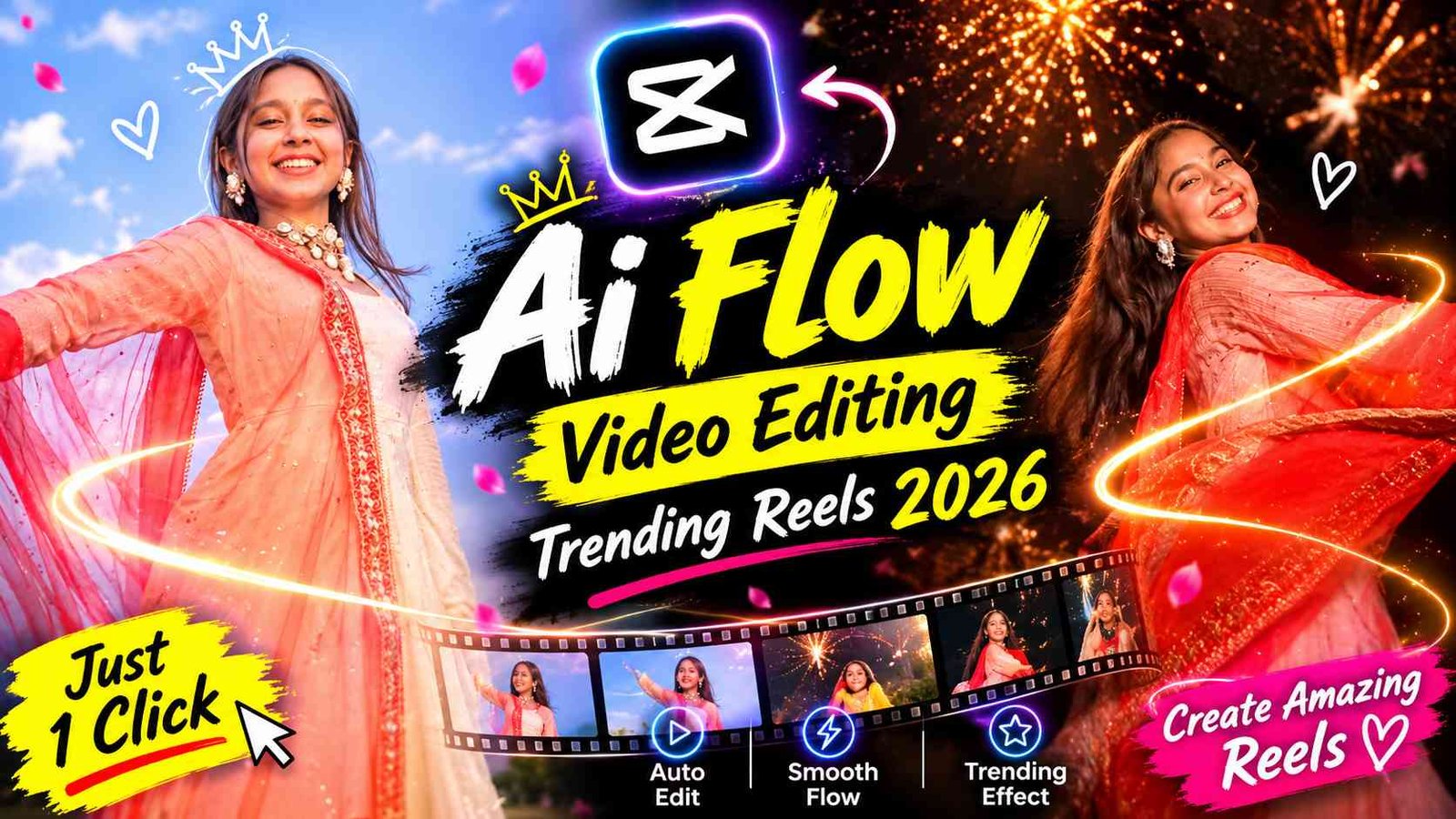
Diwali Fireworks Dupatta Twirl AI Video Google Flow Prompt 2026
Aaj kal Instagram Reels aur YouTube Shorts par ek naya aur behad shandaar trend viral ho raha hai. Isme ek simple dupatta twirl (ghumane) ka video dekhte hi dekhte ek magical cinematic night scene me badal jata hai, jiske background me sunhare patakhe (fireworks) foot rahe hote hain. Pehle is tarah ki high-level VFX editing karne mein ghante lagte the aur heavy software ki zaroorat hoti thi. Lekin 2026 mein Google AI Flow ki madad se aap is tarah ki face-swap aur motion-match video kuch hi minutes mein bana sakte hain.
Agar aap bhi apni ek normal photo se aisi viral Diwali reel banana chahte hain, toh aap bilkul sahi jagah par hain. Is article mein main aapko step-by-step samjhaunga ki aap apna photo, reference video aur ek secret prompt use karke yeh viral video kaise generate kar sakte hain.
Diwali Fireworks Dupatta Twirl Video Trend Kya Hai?
Yeh ek highly cinematic transition trend hai. Is video ki shuruat me ek ladki din ke ujale me khule aasmaan ke niche lal dupatta lehrate hue ghoomti hai. Jaise hi woh dupatta camera lens ke paas se guzarta hai, scene ekdum se raat mein transition ho jata hai. Raat ke andhere me piche shandaar sunhare patakhe foot-te hain aur ladki ka face un patakhon ki chamak se glow karta hai.
Yeh 10 seconds ka slow-motion cinematic video dekhne me bahut hi professional lagta hai. Is trend ki sabse khaas baat yeh hai ki ab AI ki madad se aap isme kisi ka bhi face swap kar sakte hain aur bilkul original jaisi video bana sakte hain.
Video Banane Ke Liye Zaroori Cheezein (Requirements)
Google AI Flow ke madhyam se video banane ka process shuru karne se pehle, aapke paas yeh 3 cheezein honi chahiye:
- Aapki Ek Clear Photo: Aapko apni ek high-quality photo click karni hai. Koshish karein ki aapka face bilkul clear ho, lighting achi ho aur agar aapne koi traditional dress pehni ho toh result aur bhi behtar aayega.
- Reference Video: Woh original viral video jisme dupatta twirl aur fireworks ka transition hai. Yeh video AI ko exact motion aur timing samajhne me madad karega.
- Google Flow Prompt: Woh special text command jo AI ko bataega ki video ko kaise process aur generate karna hai.
Google AI Flow Se Video Kaise Banaye? (Step-by-Step Process)
Main yahan par aapko Google AI Flow ke madhyam se video banane ka pura process samjha raha hoon. In steps ko dhyan se follow karein:
Step 1: Apni Clear Photo Click Karein
Sabse pehle to aapko apni ek dupatta ke sath clear aur high-quality photo click karni hai. Face par achi light honi chahiye taki AI aapke facial features ko achi tarah scan kar sake.
Step 2: Website Se Reference Video Aur Prompt Copy Karein
Uske baad hamari official website (Ray Edits) par aapko visit karna hai. Wahan par aapko is trend ka reference video milega aur sath hi Google AI Flow ke madhyam se video banane ka prompt bhi diya gaya hai. Aapko apne photo ke sath-sath, hamare reference video aur prompt ko website se copy/download kar lena hai.
Step 3: Google AI Flow Website Open Karein
Ab apne mobile ya laptop ke browser me Google AI Flow ki website ko open karein. Apne Google account se securely login karein taki aap generation dashboard tak pahunch sakein.
Step 4: Photo, Video aur Prompt Load Karein
Website open hone ke baad, upload section me jayein. Wahan par aapko apni click kiya hua photo aur hamari website se laya gaya reference video load kar dena hai. Iske turant baad, text box me wo prompt paste kar dein jo aapne copy kiya tha.
Step 5: Video Resolution Aur Settings Check Karein
Video generate karne se pehle, aapko wahan par video ka resolution aur video ki zaroori settings ek baar dekh leni hai. Social media reels ke liye aspect ratio 9:16 (vertical) aur resolution 4K ya high-definition (HD) set hona zaroori hai.
Step 6: Command Dein Aur Video Generate Karein
Settings confirm karne ke baad apna command de dein (Generate button par click karein). Kuch hi der mein Google AI Flow aapke reference video aur prompt ke according, aapke face ko swap karke ek bilkul realistic video banakar de dega.
AI Video Generate Hone Ke Baad Download Karein
Jaise hi Google AI Flow aapka video successfully process kar leta hai, screen par aapko final output video ka preview dikhai dega. Result se satisfy hone par, wahan diye gaye ‘Download’ ya ‘Save’ icon par click karein. Yeh video seedhe aapke smartphone ki gallery ya laptop ke file manager mein high quality mein save ho jayega. Ise directly upload karne se pehle ek baar play karke zarur check kar lein.
Third-Party Editing App Se Video Quality Enhance Karein
AI se video generate aur download karne ke baad, aap chahein toh colour grading ya fir transition effects lagakar video ki quality ko aur bhi zyada enhance kar sakte hain. Iske liye aap kisi bhi third-party editing app jaise VN Video Editor, CapCut, ya Alight Motion ka use kar sakte hain. In apps me video ko import karein, contrast aur saturation ko thoda adjust karein (taki fireworks aur bhi bright lagein), aur trending background music (BGM) sync karke apni reel ko puri tarah se viral hone ke liye ready kar lein.
The Secret Google AI Flow Prompt
Apni video ko bilkul reference video jaisa banane ke liye aapko is exact prompt ki zaroorat padegi. Is prompt ko copy karein aur AI ke command box me paste karein:
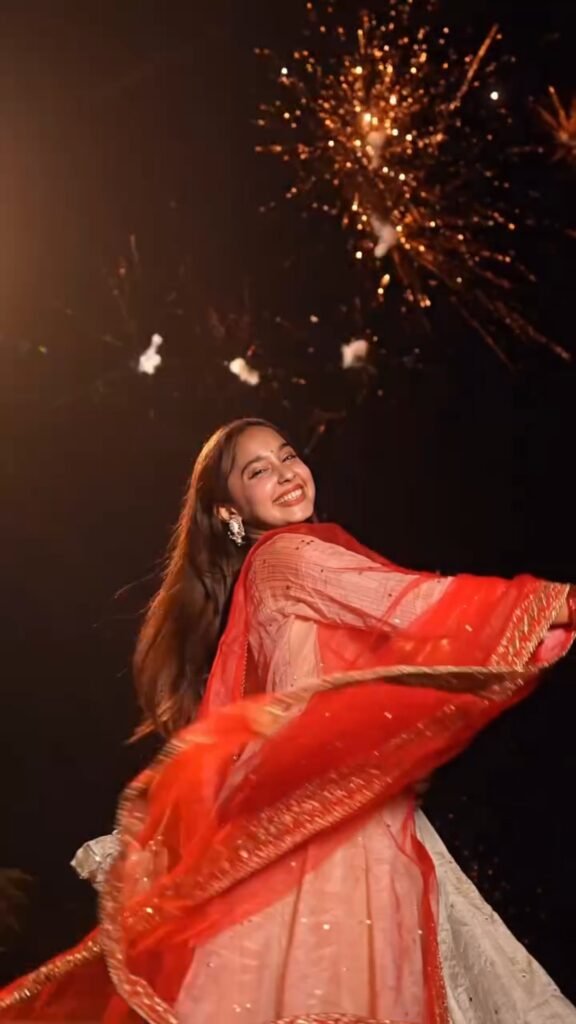
"A seamless 10-second high-definition, cinematic 9:16 vertical video recreating the exact motion, timing, and sequence of the reference video, but replacing the subject's face entirely with the facial features, skin tone, and identity from the provided reference face image. Maintain 100% fidelity to the original background, clothing, lighting, and camera transitions: Seconds 0–1: Daytime, open field with clear blue sky. A young Indian woman wearing an ivory-peach traditional anarkali dress with embroidered gold accents and a sheer bright red dupatta. She holds the edges of the red dupatta, smiling and swirling it dynamically directly in front of the camera lens, covering the frame for a smooth match-cut transition. Seconds 1–4: The red dupatta whips away in a seamless transition into night. She is facing away from the camera, wearing an elegant ivory/off-white anarkali gown with golden gotta-patti border, holding a matching ethnic potli purse. She twirls smoothly under a pitch-black night sky filled with spectacular, vibrant golden firework bursts and crackling sparks. Warm rim-lighting contours her back and hair. Seconds 4–8: Mid-twirl, she turns upwards with pure joy and laughter, looking at the dazzling fireworks exploding overhead. The intense golden embers, sparkle fountains, and bokeh lights illuminate her face from above and behind. Her red dupatta trails gracefully in the air. Seconds 8–10: Completing the spin, she glances back over her shoulder directly into the camera lens with a radiant, confident smile, head slightly tilted. Dense, sparkling golden fireworks continue to explode directly behind her in the dark sky, creating warm festive bokeh and realistic atmospheric haze. Technical Specs & Style: Photorealistic, 4K resolution, cinematic slow-motion effect (60fps feel), natural hair physics during twirl, precise face-swap from reference image with accurate micro-expressions and eye line, warm festive lighting, highly detailed fabric textures."
Conclusion
Toh dosto, yeh tha pura aur aasan process jiska use karke aap 2026 ke sabse viral Diwali Fireworks Dupatta Twirl video trend me hissa le sakte hain. Google AI Flow ke madhyam se video banana ab kisi magic se kam nahi hai. Aapko sirf apni ek achi photo, Ray Edits se reference video, aur hamara perfect prompt chahiye. Video generate hone ke baad third-party apps se colour grading karke aap iski vibe ko aur bhi professional bana sakte hain. Mujhe umeed hai ki is guide ko padhne ke baad aap apna video easily bana payenge. Step-by-step process ko zarur follow karein aur apni viral reel Instagram par upload karein.
Frequently Asked Questions (FAQs)
- Google AI Flow kya hai aur yeh video editing me kaise madad karta hai? Google AI Flow ek advanced artificial intelligence tool hai jo text prompts, reference videos, aur images ka use karke highly realistic aur cinematic videos generate karta hai. Yeh aapke face ko reference video me perfectly swap kar deta hai bina kisi heavy software ke.
- Is dupatta twirl trend ke liye reference video kahan se download karein? Aapko is viral Diwali fireworks dupatta twirl trend ka original reference video aur prompt hamari official website Ray Edits (rayedits.in) par bilkul free mein mil jayega.
- Agar video mein face properly swap nahi ho raha hai toh kya karein? Agar face swap natural nahi lag raha hai, toh iska main reason aapki input photo ho sakti hai. Hamesha ensure karein ki aapki photo clear, well-lit aur front-facing ho, jisme aapke facial features saaf dikh rahe hon.
- Kya main third-party editing apps ka use karke video quality aur improve kar sakta hoon? Haan, bilkul. AI se video download karne ke baad aap VN Editor, Alight Motion ya CapCut jaise apps me color grading, cinematic filters aur trending transitions laga kar video ko aur bhi attractive bana sakte hain.
- Kya video ko Instagram Reels aur YouTube Shorts par seedhe upload kiya ja sakta hai? Haan, kyunki prompt me pehle se hi ‘9:16 vertical video’ aur ‘4K resolution’ mention kiya gaya hai, isliye generate hui video directly mobile platforms ke liye fully optimised hoti hai aur aap ise seedhe upload kar sakte hain.
Very nice photo
Thanku brother