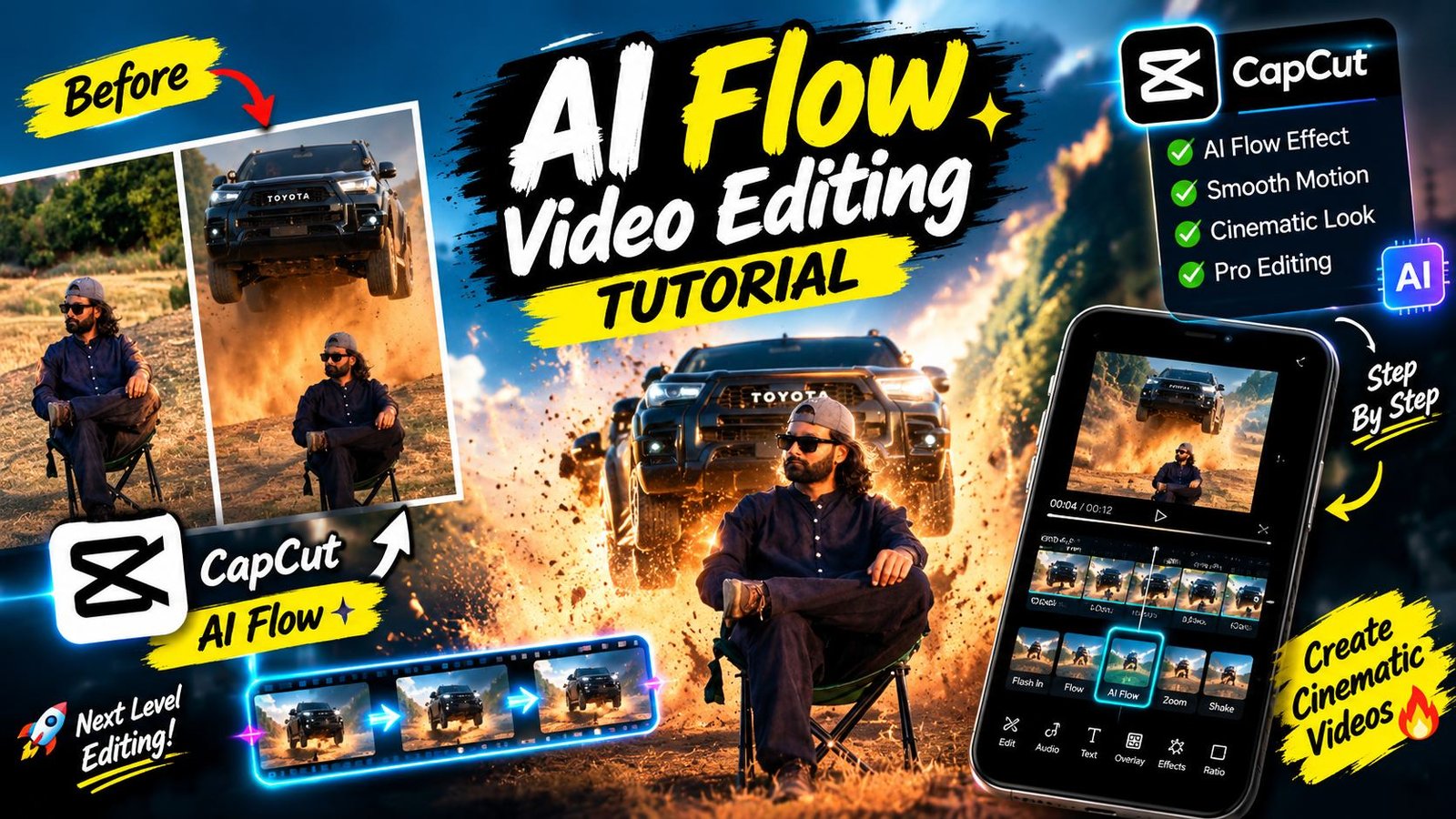
Instagram Reels aur YouTube Shorts par har din naye trends aate hain, lekin 2026 mein car jumping AI Reels Editing 2026 ka trend internet par aag ki tarah viral ho raha hai. Is trend mein ek creator calmly ek folding chair par baitha hota hai aur theek uske piche se ek high-speed SUV hawa mein jump karti hui nikalti hai bina kisi VFX crew ya physical car stunt ke. Pehle aisi cinematic high-octane clips banane ke liye thousands of dollars ka budget, professional stunt drivers aur complex After Effects compositing ki zaroorat padti thi.
Lekin aaj generative video intelligence ne content creation ko bilkul democratic bana diya hai. Agar aap bhi apni normal photo use karke aisi hyper-realistic stunt reel generate karna chahte hain, toh yeh detailed step-by-step guide aapke liye ready ki gayi hai. Is article mein hum Google AI Flow, prompt engineering, identity preservation aur post-processing audio tricks ko systematically samjhenge taaki aapka video algorithm par instantly hit kare.
Car Jumping AI Reel Trend Kya Hai Aur Yeh Kyun Viral Ho Raha Hai?
Yeh trend purely psychological contrast aur high-retention visual hook par kaam karta hai. Video ke pehle teen second mein viewer ko lagta hai ki yeh ek simple aesthetic outdoor portrait shot hai jisme creator calm baitha hua hai. Achanak piche se ek heavy vehicle jump karke camera frame ki taraf aati hai aur dust uddti hai.
Viewer retention ke perspective se dekha jaye toh:
- Visual Shock Value: Audience expect nahi karti ki baithe hue creator ke piche real physics ke sath car hawa mein float karegi.
- Calm vs Chaos Contrast: Creator bina hile araam se baitha rehta hai jabki background mein heavy engine roar aur suspension jump execute hota hai.
- Zero Identity Drift: 2026 ke advanced diffusion models creator ke real face features, outfit aur sitting style ko 100% lock rakhte hain bina cartoonish deformation ke.
Car Jumping Reel Banane Ke Liye Kin Chizon Ki Requirement Hogi?
Smooth workflow maintain karne ke liye aapke paas kuch basic digital assets hone chahiye:
- High-Resolution Sitting Photo: Ek clean, full-body ya knee-up sitting pose photo jisme aap folding chair ya ground par baithe ho. Face par clear natural light honi chahiye.
- Google AI Video Platform Access: Google AI Flow ya reference-to-video generation tool jo image continuity aur frame-by-frame physics maintain kar sake.
- Official Stunt Prompt: Stunt sequence, vehicle physics aur frame timing ko drive karne wala specific prompt code jo aapko official source se copy karna hai.
- Mobile Video Editor: CapCut, VN Video Editor ya Kinemaster jisme sound effects (SFX) aur speed ramp sync kiya ja sake.
Step-by-Step Guide: Car Jumping AI Reel Kaise Generate Karein
Step 1: Ek Perfect Reference Photo Select Aur Prepare Karein
AI video model ka output poori tarah aapki reference image ki clarity par depend karta hai.
- Ek aisi photo choose karein jisme aap casual ya stylish pose mein baithe hon (jaise folding chair par cross-legged).
- Avoid karein blurry images, heavy beauty filters ya AI-generated avatars.
- Photo ka background dry field, road ya dusty outdoor location jaisa ho toh generation results natural blend hote hain.
Step 2: Official Website Se Prompt Copy Karein
Aisi video generate karne ke liye detailed timestamp-based physics prompt ki zaroorat hoti hai.
- Aap seedhe hamari official website rayedits.in par visit karein.
- Website par search bar mein “Car Jumping AI Prompt” search karein ya direct viral reels category browse karein.
- Wahan available exact official prompt ko one-click mein copy kar lein.
Step 3: Google AI Platform Par Photo Upload Aur Prompt Paste Karein
- Google AI ke video generation dashboard ko open karein.
- Reference Image Input section mein jaakar apni ready ki hui sitting photo ko upload karein.
- Text prompt area mein rayedits.in se copy kiya gaya prompt paste kar dein.
Aapki clarity ke liye yahi prompt format use hota hai:
Google AI Flow Video Prompt:
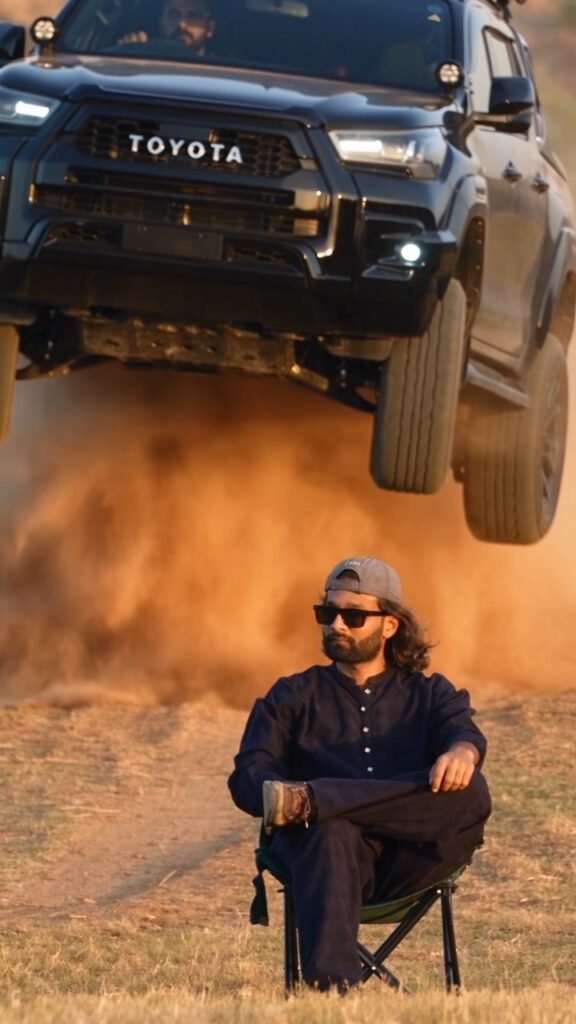
Use the uploaded reference image as the exact identity and appearance reference for the seated person. Create an 11-second ultra-realistic cinematic stunt video. The person from the reference image is sitting calmly on a black folding chair in the middle of a dry, open field with dusty uneven ground. Preserve his exact face, identity, hairstyle, skin tone, body proportions and overall appearance from the reference image. He wears an all-black outfit and black sunglasses. He sits confidently with one leg crossed over the other, looking toward the camera. 0–3 seconds: The person is already seated and remains calm and still. Keep his pose, position, chair and appearance consistent. 3–6 seconds: A WHITE luxury SUV suddenly approaches from behind him at high speed, kicking up natural dust. 6–8 seconds: The SUV hits the uneven ground and jumps into the air, moving toward the camera at an impressive cinematic angle. Make the jump physically realistic with believable vehicle weight, suspension and tire movement. 8–9 seconds: The SUV lands naturally with visible suspension compression and realistic dust reacting to the impact. 9–11 seconds: The SUV continues past the seated person while dust spreads naturally across the ground. The person remains completely calm and seated in the same position. Keep the uploaded reference image as the primary identity reference for the person throughout the entire video. Photorealistic professional-camera footage, natural sunlight, realistic shadows, realistic dust particles, cinematic depth of field, subtle motion blur, realistic physics, detailed 4K quality. Keep the camera perspective, composition, environment and person's position consistent throughout. No identity drift, no face changes, no body deformation, no pose changes, no extra people, no duplicate person, no changing clothes, no changing chair, no floating vehicle, no unrealistic physics, no scene changes, no text, no watermark, no CGI or cartoon appearance
Prompt submit karne ke baad AI model image ke visual features ko analyse karega aur frame-by-frame physics integrate karega. Kuch hi minutes mein aapki 11-second cinematic stunt video bankar ready ho jayegi[cite: 1]. Ise high bitrate (1080p ya 4K) format mein export kar lein.
Create AI Video
Step 4: Render Aur Video Download Karein
AI Reel Ko 10x More Realistic Banane Ke Pro Editing Hacks
AI dwara generate kiye gaye raw video ko direct post karne ke bajaye thodi si manual post-processing add karne se video bilkul ground-level shoot lagti hai:
1. Multi-Layer Sound Design (SFX Layering)
AI silent ya basic audio ke sath video export karta hai. Reel ko viral banane ke liye CapCut ya VN editor mein realistic sound design karein:
- 0–3s: Slow ambient wind aur outdoor birds ka subtle atmospheric audio lagayein.
- 3–6s: Engine revving sound jo low volume se high volume ki taraf dynamic build-up create kare.
- 6–8s: Suspense bass whoosh aur car jump airborne whoosh effect.
- 8–9s: Heavy tyre thud aur gravel impact sound jab suspension ground se strike karta hai.
2. Micro Camera Shake Keyframing
Jab 2500 kg ki SUV ground par land karti hai, tab physical world mein ground vibrate hota hai.
- Video editor mein car landing ke frame par ek mild Camera Shake Effect add karein.
- Shake ki intensity 10-15% par rakhein taaki natural lens impact feel ho, overdone na lage.
3. Dust Overlay Aur Colour Grading
Video ko dynamic cinematic grading dene ke liye highlights ko soft warm tone dein aur shadows mein subtle teal mix karein. Agar ground dust thodi weak lag rahi ho, toh screen blend mode par ek realistic dust overlay video layer add kar dein.
Bonus Tip: Custom Prompt Tweaks For Different Vehicle Styles
Agar aap SUV ke badle koi aur vehicle add karna chahte hain ya scene ko night mode mein shift karna chahte hain, toh prompt mein minor adjustments karein:
- Sports Car Drift: SUV ke badle black modified sports car drifting sideways mention karein aur uneven ground ko wet asphalt road with tyre smoke se replace karein.
- Golden Hour Cinematic Look: Lighting parameters mein late afternoon golden hour sunset lighting with harsh rim light add karein taaki dust particles shine karein.
- Identity Lock Strength: Hamesha negative prompt ke section mein no duplicate person, no plastic face, no cartoon textures ko retain karein taaki rendering photorealistic hi nikle.
Conclusion
AI video creation 2026 mein imagination ko directly reality mein convert karne ka sabse powerful medium ban chuka hai. Bas rayedits.in se prompt uthayein, apni sharp sitting photo use karein aur proper sound design ke sath publish karein. Consistent practice se aap bina kisi camera gear ke high-end studio quality reels bana sakte hain.